How to Play Super Battle Golf on Mac (Best Options Compared)
- Sven Frese
- Games
- February 20, 2026
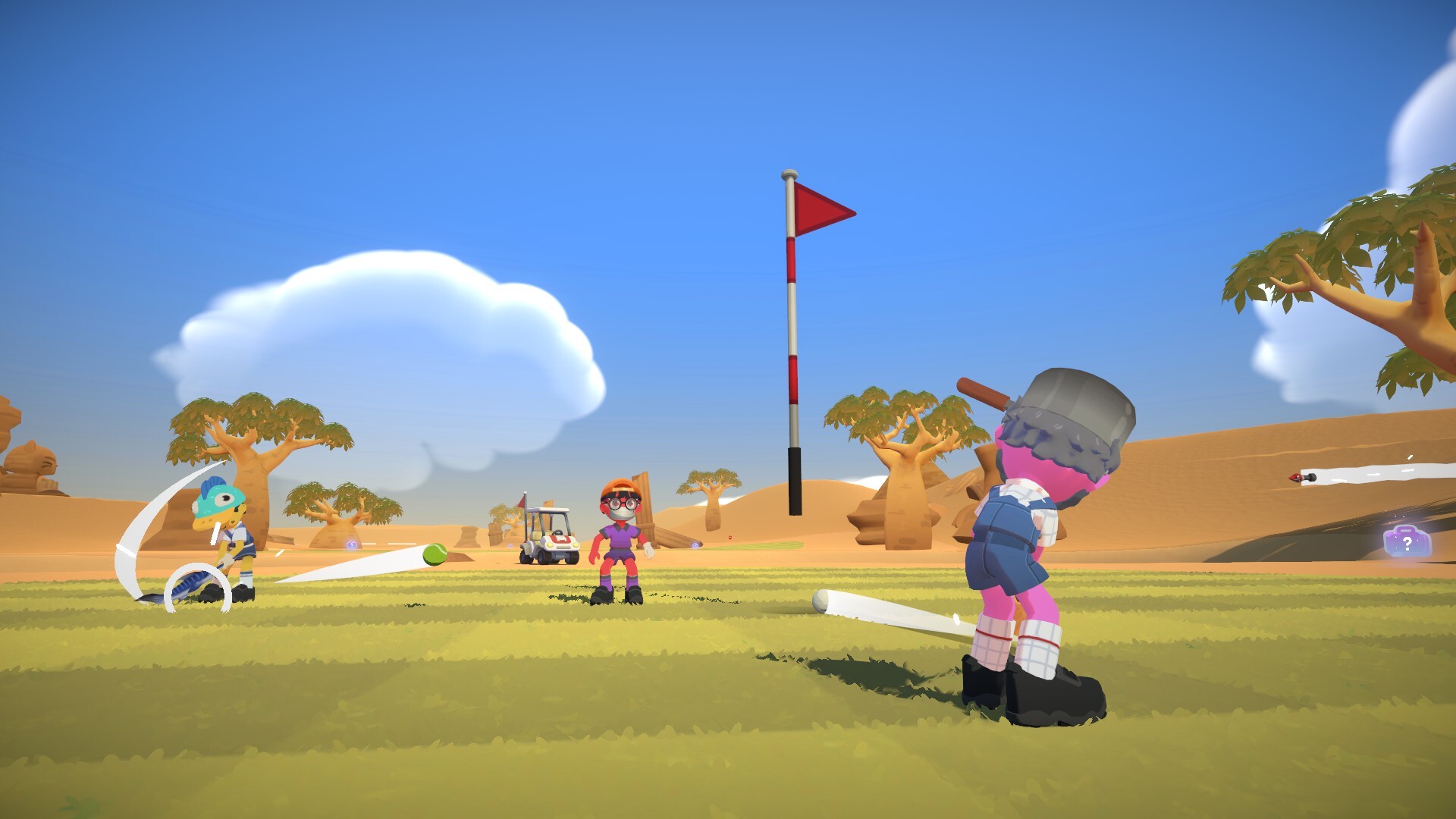
Super Battle Golf is a chaotic 1–8 player golf game where everyone plays at the same time—swing, shoot, sabotage, and race to the hole. It’s the kind of casual multiplayer game that’s perfect for a quick session, but developer Brimstone only released it for Windows. Here’s how to play it on your Mac anyway.
Mac users have three options: CrossOver (a compatibility layer that runs Windows games directly on your Mac), Whisky (a free alternative to CrossOver), or CloudDeck (cloud gaming that streams the game from a remote PC). Here’s how they compare.
Option 1: CrossOver
CrossOver is a compatibility layer that lets you run Windows games directly on your Mac—no Boot Camp, no Windows license, no virtual machine. It translates Windows commands to macOS in real-time, so games run natively on your hardware.
How does Super Battle Golf perform?
Super Battle Golf is a lightweight indie game with modest system requirements. Games like this typically run well through CrossOver on Apple Silicon Macs. As a newer release, there aren’t many user reports yet, but the game’s simple graphics and lack of anti-cheat make it a good candidate for CrossOver compatibility.
Quick reference:
- ✅ M1/M2/M3 Macs (16GB) — Likely runs well (lightweight game)
- ⚠️ 8GB RAM Macs — Should work, but test with the free trial first
- ⚠️ No confirmed reports yet — Use CrossOver’s 14-day trial to verify
How to get started:
- Download CrossOver ($74/year, 14-day free trial)
- Install Steam through CrossOver
- Purchase and install Super Battle Golf
- Launch and play
Tips: Since this is a new game, start with the free trial to confirm it works on your specific Mac before committing.
Option 2: Whisky (Free Alternative)
If you’d rather not pay for CrossOver, Whisky offers similar functionality for free. It’s built on the same Wine technology that powers CrossOver, but it’s open-source and community-maintained.
Performance: Expect similar results to CrossOver—the underlying technology is the same.
The trade-off: Whisky requires more manual setup. You may need to install additional Windows components and troubleshoot settings yourself. For a simple game like Super Battle Golf, setup should be straightforward, but CrossOver’s polish might be worth $74/year if you value convenience.
How to get started:
- Download Whisky (free)
- Create a new bottle (Whisky’s term for a Windows environment)
- Install Steam inside the bottle
- Install Super Battle Golf through Steam
- Troubleshoot as needed (check the Whisky Discord for help)
Option 3: CloudDeck (Cloud Gaming)
If you don’t want to deal with compatibility layers at all, or your Mac struggles with CrossOver, CloudDeck streams the game from a high-performance server to your screen. Your Mac just needs to display the stream.

Performance: 60 FPS at 1080p (runs on our cloud servers).
Best for:
- Players who want guaranteed compatibility
- Multiplayer sessions where you need reliable performance
- Any Mac, including older or low-spec models
Requirements: Any Mac and a stable internet connection (15+ Mbps recommended).
How to get started:
- Sign up for CloudDeck ($19.99/month, cancel anytime)
- Connect using Moonlight or your browser
- Install Super Battle Golf from your Steam library
- Play immediately—no compatibility tweaks needed
Which Option Should You Choose?
| Your Situation | Best Choice |
|---|---|
| Powerful Mac, willing to test compatibility | CrossOver (free trial) |
| Tech-savvy, prefer free solutions | Whisky |
| Want guaranteed compatibility, any Mac | CloudDeck |
FAQ
Why isn’t there a Mac version?
Brimstone is a small indie studio. Porting to macOS means supporting a different graphics API (Metal instead of DirectX) and a smaller player base—the math often doesn’t work out for indie developers.
Does online multiplayer work through CrossOver?
It should—Super Battle Golf doesn’t appear to use kernel-level anti-cheat, so multiplayer should work fine through both CrossOver and CloudDeck.
Can I use my Steam saves?
Yes—all three options work with Steam Cloud saves.
Last updated: April 2026.