How to Play Summer Clover on Mac (Best Options Compared)
- Sven Frese
- Games
- January 20, 2025
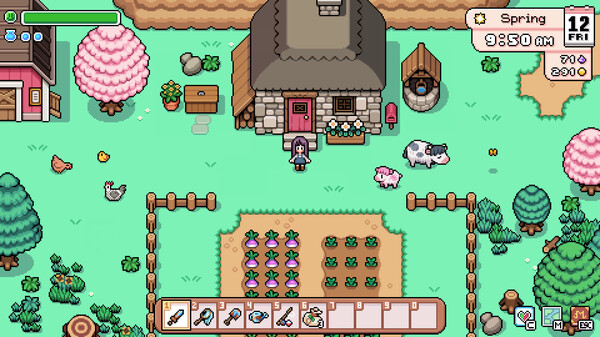
Summer Clover is a charming visual novel and life simulation game set in a sunny countryside town. There’s no native Mac version, but Mac users have three solid options to play it: CrossOver, Whisky, or CloudDeck.
Option 1: CrossOver
CrossOver is a compatibility layer that lets you run Windows games directly on your Mac—no Boot Camp, no Windows license, no virtual machine. It translates Windows commands to macOS in real-time, so games run natively on your hardware.
How does Summer Clover perform?
As a visual novel / life sim, Summer Clover has very modest system requirements. Games in this genre typically run flawlessly through Wine-based compatibility layers. You should expect smooth performance on virtually any Apple Silicon Mac.
Quick reference:
- ✅ Any Apple Silicon Mac — Should run smoothly at full settings
- ✅ 8GB RAM — More than enough for this type of game
- ⚠️ Intel Macs — May work but untested
How to get started:
- Download CrossOver ($74/year, 14-day free trial)
- Install Steam through CrossOver
- Purchase and install Summer Clover
- Play at full settings
Tips: Lightweight games like this are CrossOver’s sweet spot—expect minimal issues.
Option 2: Whisky (Free Alternative)
If you’d rather not pay for CrossOver, Whisky offers similar functionality for free. It’s built on the same Wine technology that powers CrossOver, but it’s open-source and community-maintained.
Performance: Expect similar results to CrossOver—the underlying technology is the same. For a lightweight game like Summer Clover, both should work equally well.
The trade-off: Whisky requires more manual setup. You may need to install additional Windows components and configure settings yourself. For a simple game like this, the setup should be straightforward, but CrossOver’s polish might still be worth it if you’re not tech-savvy.
How to get started:
- Download Whisky (free)
- Create a new “bottle” (Whisky’s term for a Windows environment)
- Install Steam inside the bottle
- Install Summer Clover through Steam
- Troubleshoot as needed (check the Whisky Discord for help)
Option 3: CloudDeck (Cloud Gaming)
If you’d rather skip any compatibility setup entirely, CloudDeck offers cloud gaming—the game runs on our servers and streams to your Mac.

Performance: 60 FPS at 1080p, max settings (runs on our cloud servers).
Best for:
- Players who want zero setup
- Macs with limited storage
- Anyone who doesn’t want to deal with Wine/compatibility layers
Requirements: Any Mac and a stable internet connection (15+ Mbps recommended).
How to get started:
- Sign up for CloudDeck ($19.99/month, cancel anytime)
- Connect using Moonlight or your browser
- Install Summer Clover from your Steam library
- Play immediately—no compatibility tweaks needed
Which Option Should You Choose?
| Your Situation | Best Choice |
|---|---|
| Any Mac, willing to install CrossOver | CrossOver |
| Tech-savvy, prefer free solutions | Whisky |
| Any Mac, zero setup, already subscribe to CloudDeck | CloudDeck |
FAQ
Why isn’t there a Mac version?
Most indie developers focus on Windows due to limited resources and the smaller Mac gaming market.
Can I use my Steam saves?
Yes—all three options work with Steam Cloud saves (if supported by the game).
Is CrossOver worth it for a lightweight game like this?
For Summer Clover alone, Whisky (free) would work just as well. CrossOver is worth it if you plan to play multiple Windows games on your Mac.
Last updated: April 2026.