How to Play Starsand Island on Mac (Best Options Compared)
- Sven Frese
- Games
- February 13, 2026
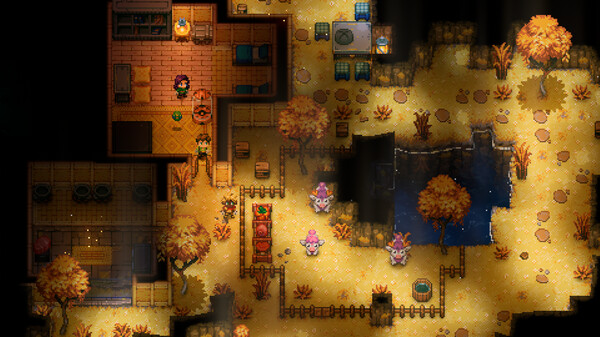
Starsand Island is a survival game from Seed Sparkle Lab that drops you on a mysterious desert island full of secrets to uncover. There’s no native Mac version, but Mac users still have options to explore this sandy survival experience.
Mac users have three potential options: CrossOver (a compatibility layer that runs Windows games directly on your Mac), Whisky (a free alternative to CrossOver), or CloudDeck (cloud gaming that streams the game from a remote PC). Here’s how they compare for Starsand Island.
Option 1: CrossOver
CrossOver is a compatibility layer that lets you run Windows games directly on your Mac—no Boot Camp, no Windows license, no virtual machine. It translates Windows commands to macOS in real-time, so games run natively on your hardware.
How does Starsand Island perform?
Starsand Island is a relatively new title and hasn’t been extensively tested through CrossOver on Mac. The original Starsand works through Proton on Linux (Steam Deck), which is a good sign since CrossOver uses similar technology. However, Starsand Island is a separate, newer release and compatibility may vary.
Quick reference:
- ⚠️ Apple Silicon Macs 16GB+ — Likely works but unverified; worth trying with CrossOver’s free trial
- ⚠️ 8GB RAM Macs — May struggle with survival game demands
How to get started:
- Download CrossOver ($74/year, 14-day free trial)
- Install Steam through CrossOver
- Purchase and install Starsand Island
- Try launching—use the free trial to test before committing
Tips: Since compatibility is unverified, definitely use CrossOver’s 14-day free trial first. If it doesn’t work, CloudDeck is your fallback.
Option 2: Whisky (Free Alternative)
If you’d rather not pay for CrossOver, Whisky offers similar functionality for free. It’s built on the same Wine technology that powers CrossOver, but it’s open-source and community-maintained.
Performance: Since Starsand Island hasn’t been widely tested through Wine on Mac, results are uncertain. The game’s predecessor (Starsand) does work on Linux via Proton, so there’s a reasonable chance it could work through Whisky too.
The trade-off: Whisky requires more manual setup, and with an untested game you may need to do extra troubleshooting. Check the Whisky Discord for the latest community reports.
How to get started:
- Download Whisky (free)
- Create a new bottle
- Install Steam inside the bottle
- Install Starsand Island through Steam
- Troubleshoot as needed
Option 3: CloudDeck (Cloud Gaming)
If you want guaranteed compatibility without the guesswork, CloudDeck is the safest choice for Starsand Island on Mac. CloudDeck runs the game on our high-performance Windows servers and streams the video to your screen.

Performance: 60 FPS at 1080p, High settings on our cloud servers.
Best for:
- Any Mac user who wants guaranteed compatibility
- 8GB RAM Macs
- Players who don’t want to gamble on CrossOver compatibility
- Macs with limited storage
Requirements: Any Mac and a stable internet connection (15+ Mbps recommended).
How to get started:
- Sign up for CloudDeck ($19.99/month, cancel anytime)
- Connect using Moonlight or your browser
- Install Starsand Island from Steam
- Play immediately—no compatibility tweaks needed
Which Option Should You Choose?
| Your Situation | Best Choice |
|---|---|
| Powerful Mac, willing to experiment | CrossOver (use free trial) |
| Tech-savvy, prefer free solutions | Whisky |
| Want guaranteed compatibility, any Mac | CloudDeck |
FAQ
Why isn’t there a Mac version?
Starsand Island is made by a small indie studio (Seed Sparkle Lab) that focuses on Windows development. Porting to macOS requires significant additional work that smaller studios often can’t justify.
What’s the difference between Starsand and Starsand Island?
Starsand Island is a standalone sequel/spin-off from the original Starsand. It features a new island setting with updated mechanics and content.
Can I use my Steam saves?
Yes—all three options work with Steam Cloud saves, so your progress syncs across devices.
Last updated: April 2026.