How to play Manor Lords on your Mac with CloudDeck
- Sven Frese
- Games
- September 7, 2024
If you’re looking to play Manor Lords on your Mac, you might be disappointed to learn that Manor Lords isn’t available for macOS. Without a high-performance Windows PC or gaming console, you will have to explore other solutions to play the game. Fortunately, there is a way to play Manor Lords on your Mac: CloudDeck .
Why Manor Lords is Not Available for Mac
Manor Lords isn’t available for Mac mainly due to market size and technical issues. The Mac gaming market is significantly smaller compared to Windows and consoles, making it less profitable for developers and publishers. Manor Lords also uses DirectX, a graphics API that only works on Windows. macOS uses a different system called Metal, so adapting the game would require a significant amount of extra work. The differences in hardware between Macs and Windows PCs make optimization even more challenging. For these reasons, game developers often focus on developing games for Windows only.
What is CloudDeck?
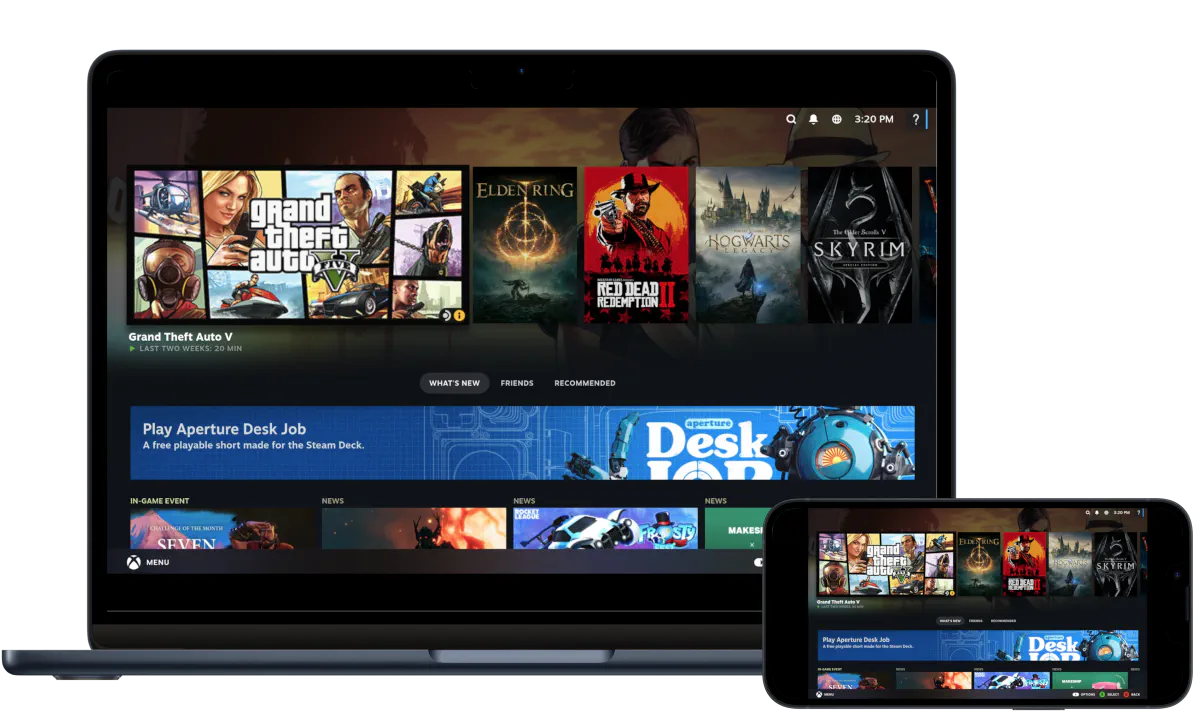
CloudDeck is a cloud gaming service that allows you to play your favorite Windows games on virtually any device with an internet connection. With CloudDeck, you can install and run nearly any Windows game from your laptop, tablet, smartphone, or TV. For easier game management and controls, CloudDeck features a gaming console-like interface similar to SteamOS.
How to Play Manor Lords with CloudDeck
Playing Manor Lords on your Mac with CloudDeck is easy:
- Create your CloudDeck account and start your subscription.
- Start your CloudDeck and connect with Moonlight .
- Install the game on your CloudDeck.
- Start playing!
Benefits of Playing Manor Lords with CloudDeck
- Performance: CloudDeck runs the game on our high-performance servers and streams directly to your Mac, ensuring an optimal gaming experience.
- Cost-Effective: Avoid the expense and hassle of buying and maintaining additional gaming hardware. CloudDeck is available for $19.99 per month and you can cancel anytime if you’re not planning to game for a while.
- Game Selection: CloudDeck supports more than 16,000 games so you can play all your favorite games on your Mac.
Conclusion
CloudDeck offers a practical solution for Mac gamers looking to play Manor Lords. With our high-performance servers, cost-effective subscription, and extensive game selection, CloudDeck allows you to play Manor Lords and 16,000 more games on your Mac without needing additional hardware. If you’re looking to play Manor Lords on your Mac, give CloudDeck a try .