How to Play Esports Manager 2026 on Mac (Best Options Compared)
- Sven Frese
- Games
- July 7, 2026
Esports Manager 2026 is a deep management sim that puts you in charge of a real esports organization. You recruit players, build tactics, manage relationships, and watch your team rise through tournaments. It launched on Steam on July 6, 2026. The only catch for Mac users: there’s no Mac version.
Mac users have three solid options: CrossOver (a compatibility layer that runs Windows games directly on your Mac), Whisky (a free alternative to CrossOver), or CloudDeck (cloud gaming that streams the game from a remote server). Here’s how they compare for Esports Manager 2026.
Option 1: CrossOver
CrossOver lets you run Windows games directly on your Mac without Boot Camp or a Windows license. It translates Windows commands to macOS in real-time, so the game runs on your hardware.
How does Esports Manager 2026 perform?
Esports Manager 2026 just launched, so CrossOver compatibility data is still building up. The game has no anti-cheat, which is a good sign. Check ProtonDB for the latest community reports on how it runs under Wine.
Quick reference:
- ✅ No anti-cheat: Good compatibility outlook
- ✅ M-series Macs: Best bet for CrossOver
- ❓ Confirmed performance: Check ProtonDB for current reports
How to get started:
- Download CrossOver ($74/year, 14-day free trial)
- Install Steam through CrossOver
- Purchase and install Esports Manager 2026
- Start building your roster
Option 2: Whisky (Free Alternative)
Whisky is a free, open-source option built on the same Wine technology as CrossOver.
Performance: Whisky uses the same Wine technology as CrossOver. If ProtonDB shows Gold or Platinum ratings, Whisky should work similarly. Check ProtonDB for the latest reports from the community.
The trade-off: Whisky requires more manual setup than CrossOver. For a management sim like this one (no demanding 3D graphics), you probably won’t hit major performance issues, but some tinkering may be needed.
How to get started:
- Download Whisky (free)
- Create a new bottle and install Steam
- Install Esports Manager 2026
- Consult the Whisky Discord if you run into trouble
Option 3: CloudDeck (Cloud Gaming)
CloudDeck takes a completely different approach: instead of running the game on your Mac, it runs on high-performance servers and streams the video to your screen. Your Mac just needs to display the stream.
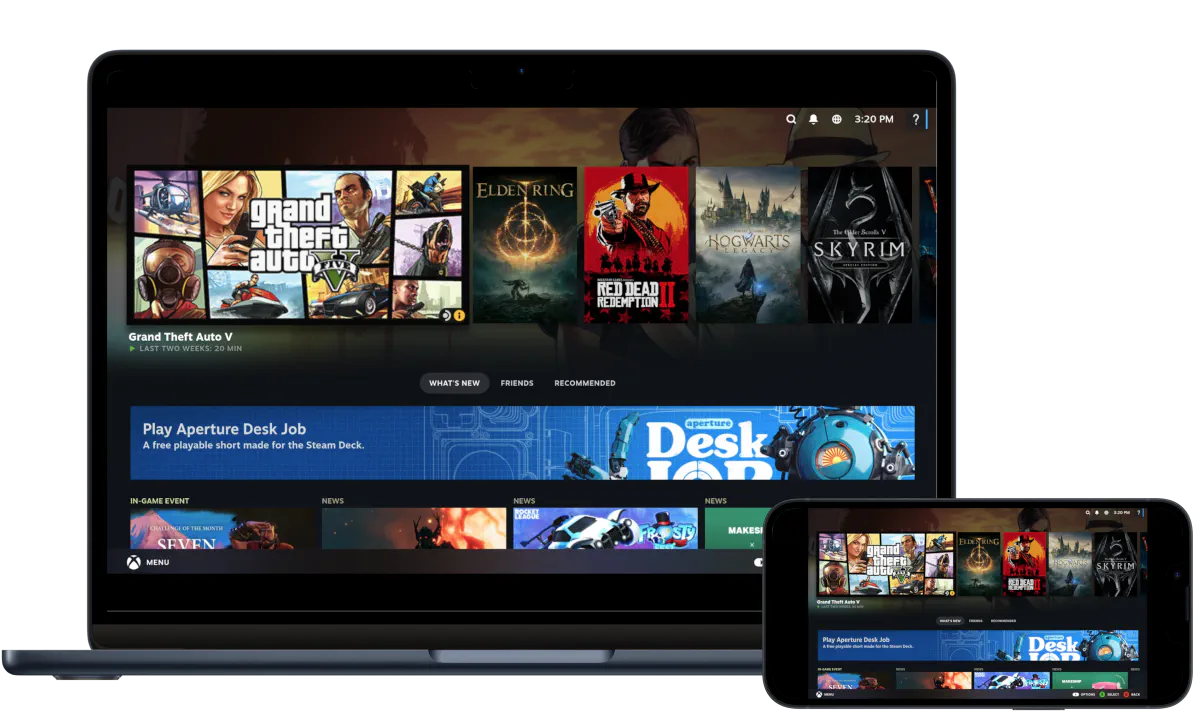
Because CloudDeck plays Windows games via Proton, and Esports Manager 2026 has no blocking anti-cheat, it works without compatibility tweaks on your end.
Best for:
- Macs that can’t run Windows compatibility layers
- Players who want zero setup
- Anyone managing saves across multiple devices
Requirements: Any Mac and a stable internet connection (15+ Mbps recommended).
How to get started:
- Sign up for CloudDeck ($19.99/month, cancel anytime)
- Connect using Moonlight or your browser
- Install Esports Manager 2026 from Steam
- Start climbing the esports rankings
Which Option Should You Choose?
| Your Situation | Best Choice |
|---|---|
| Want to run it locally, comfortable with setup | CrossOver or Whisky |
| Prefer free and don’t mind tinkering | Whisky |
| Want zero setup, any Mac | CloudDeck |
FAQ
Why isn’t there a Mac version?
Neurona Games built Esports Manager 2026 for Windows. Most PC management sims use Windows-specific APIs that don’t run natively on macOS, and porting takes significant time and resources.
Does the game include real esports teams and players?
Yes. Esports Manager 2026 features real organizations, real teams, and real professional players. You’re managing actual esports rosters, not fictional ones.
Is there multiplayer?
The current version focuses on single-player management. The developers have discussed future multiplayer features, but check the Steam page for the latest.
Do I need a powerful Mac for CrossOver?
Esports Manager 2026 is a management sim, not a demanding 3D game, so it should be relatively light on system resources. Older M-series Macs should handle it fine. Check ProtonDB as more reports come in.
Last updated: July 2026.